Behind the Launch
Wait… themes aren’t just covers?
How listening to customers transformed theme discovery
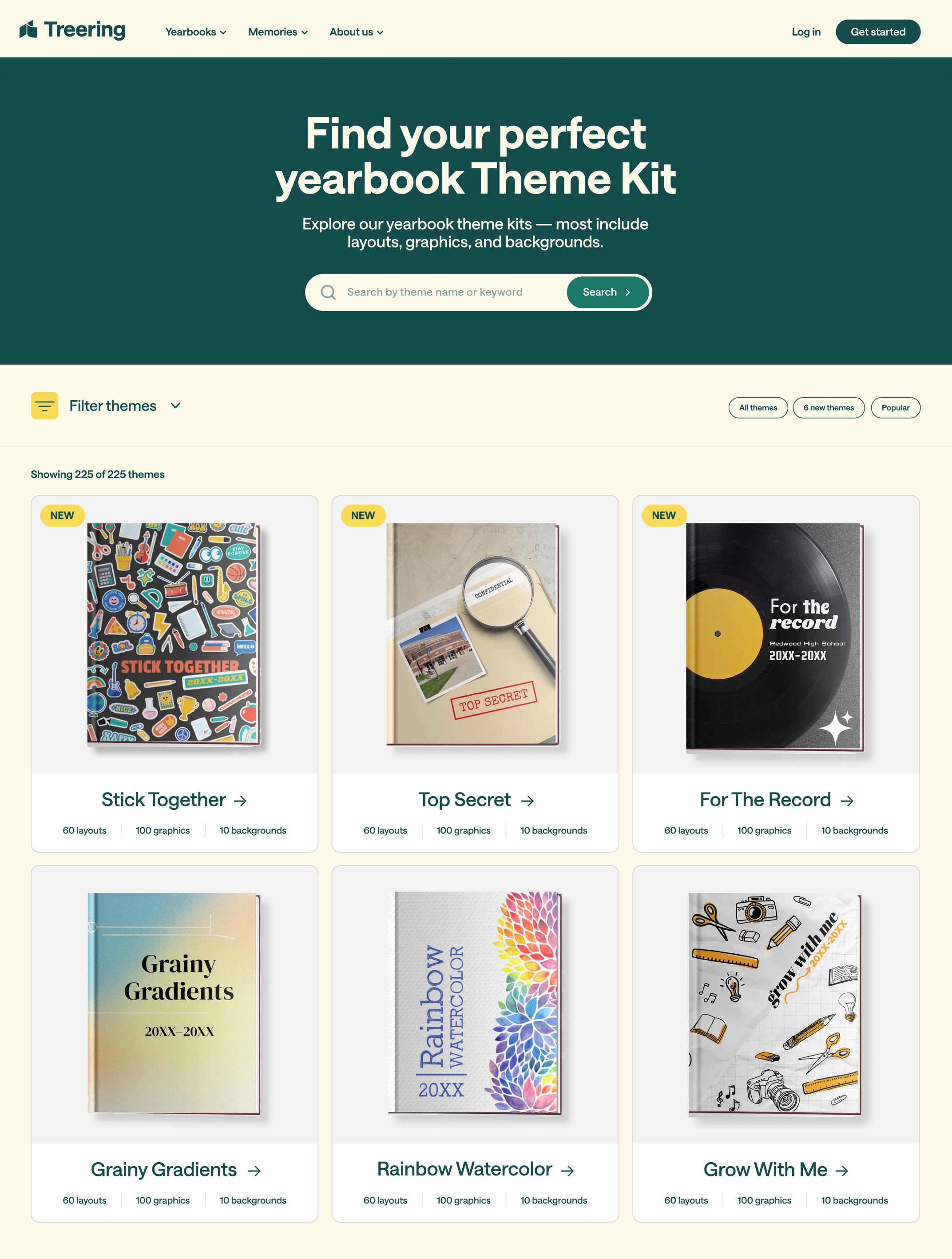
There’s been a lot of excitement surrounding the launch of the Theme Kit Finder — and for good reason. After spending a decade designing more than half of Treering’s 225+ Theme Kits, Allison has shaped a huge part of the creative experience for our customers. Now, she’s gone a step further by transforming how customers discover and use those kits.
What prompted you to design the Theme Kit Finder?
The design of the Theme Kit Finder was prompted by several major frustrations users have reported over time while trying to discover and preview yearbook themes, and most recently expressed in a focus group.
Lack of awareness about theme content
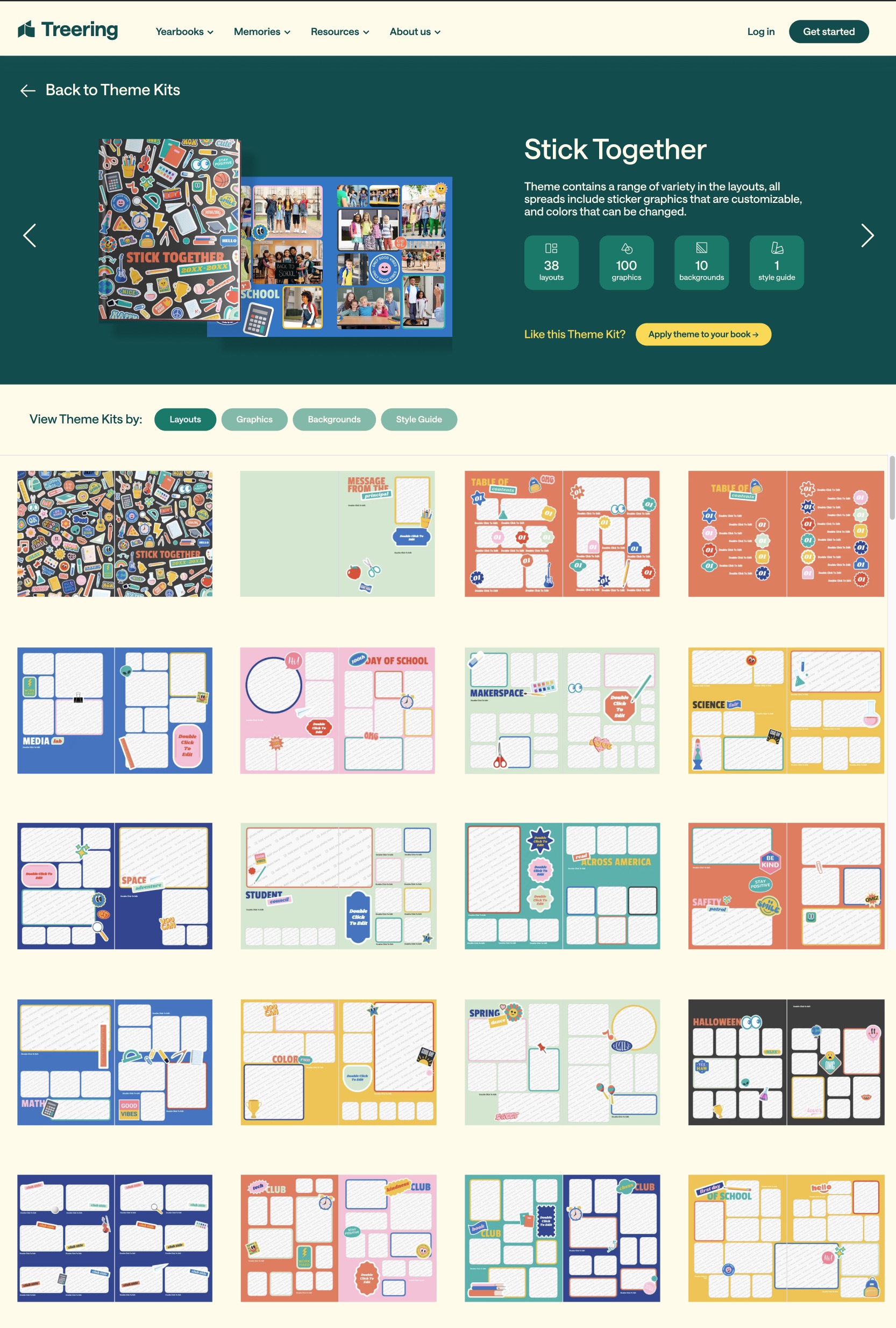
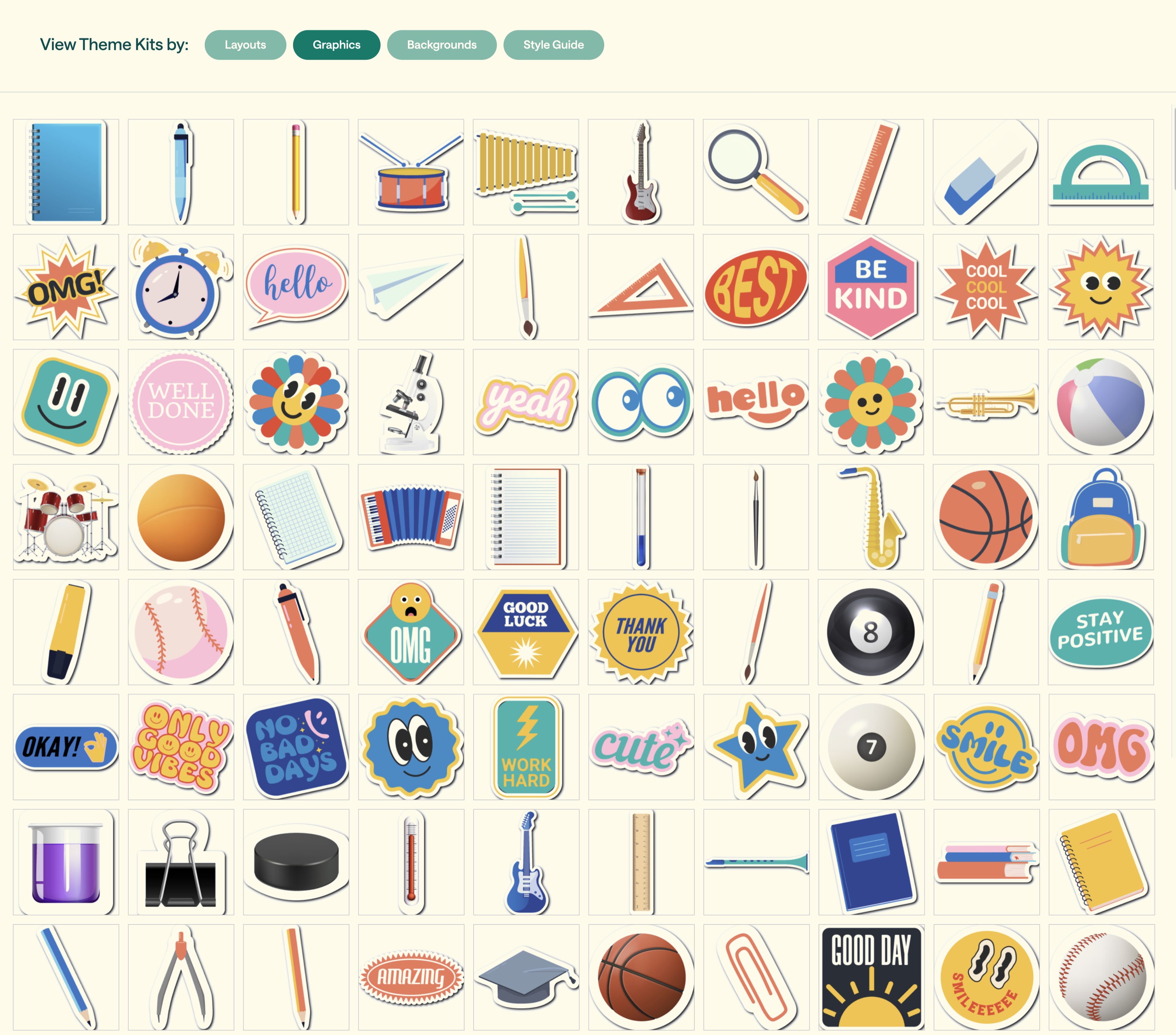
In several November 2025 focus groups, experienced yearbook editors were unaware of just how comprehensive Theme Kits are. When asked whether they knew a Theme Kit includes 41+ pre-designed pages for events, clubs, and other common yearbook content, not a single person raised their hand.
The cumbersome “apply to see” process
The platform only provides a small snapshot of a theme’s style, requiring users to apply a theme to their entire yearbook just to view its layouts, backgrounds, graphics, and design elements. This trial-and-error process is frustrating and incredibly time-consuming.
Demand for a centralized visual catalog
Users have explicitly requested a theme hub or visual catalog with the ability to browse, zoom in on, and compare multiple themes side by side. They want to preview all associated backgrounds, graphics, typography, and suggested layouts before committing to a theme.
Poor existing search and discovery functionality
While a slideshow showcasing themes does exist, it is buried within the Help Center. Users have noted that discovering it often requires stumbling across a link in an email or Facebook post. The Help Center functions more like a card catalog than an intuitive search experience, making theme discovery difficult and inconsistent.
What problem were you hoping it would solve for the team or users?
I wanted to solve the frustrating user experience of having to actively load a theme into their yearbook just to see its layouts and graphics. I hope that by having full access to view a complete theme during the decision-making process, it will unlock our customers’ creativity!
What has been the most rewarding part of creating it?
The most rewarding part is giving our customers a tool they can truly benefit from. That makes me happy. I know people will use it, and I know they’ll be as excited about it as I am. Who knows — older themes may even be rediscovered and suddenly feel fresh and new again!
Were there any unexpected discoveries or insights along the way?
How much clarity came simply from listening to our customers. Designing the Theme Kit Finder itself was fairly straightforward because the goal was clear from the start, but the real “aha” moment came through customer feedback and conversations. Hearing their frustrations and how they searched for inspiration shaped the design in ways we hadn’t initially considered. It reinforced the idea that the best design decisions come from understanding the people you’re designing for.
“The best design decisions come from understanding the people you’re designing for.” Allison, Design Director
What part of the project are you most proud of?
I’m most proud of the level of collaboration behind it. It was truly a company-wide effort. It started with listening to our customers, which then informed conversations with the Marketing team and led to multiple rounds of design iterations. Then it evolved even more during implementation with Engineering. Every team contributed a different perspective, and the final experience is definitely stronger because of it!
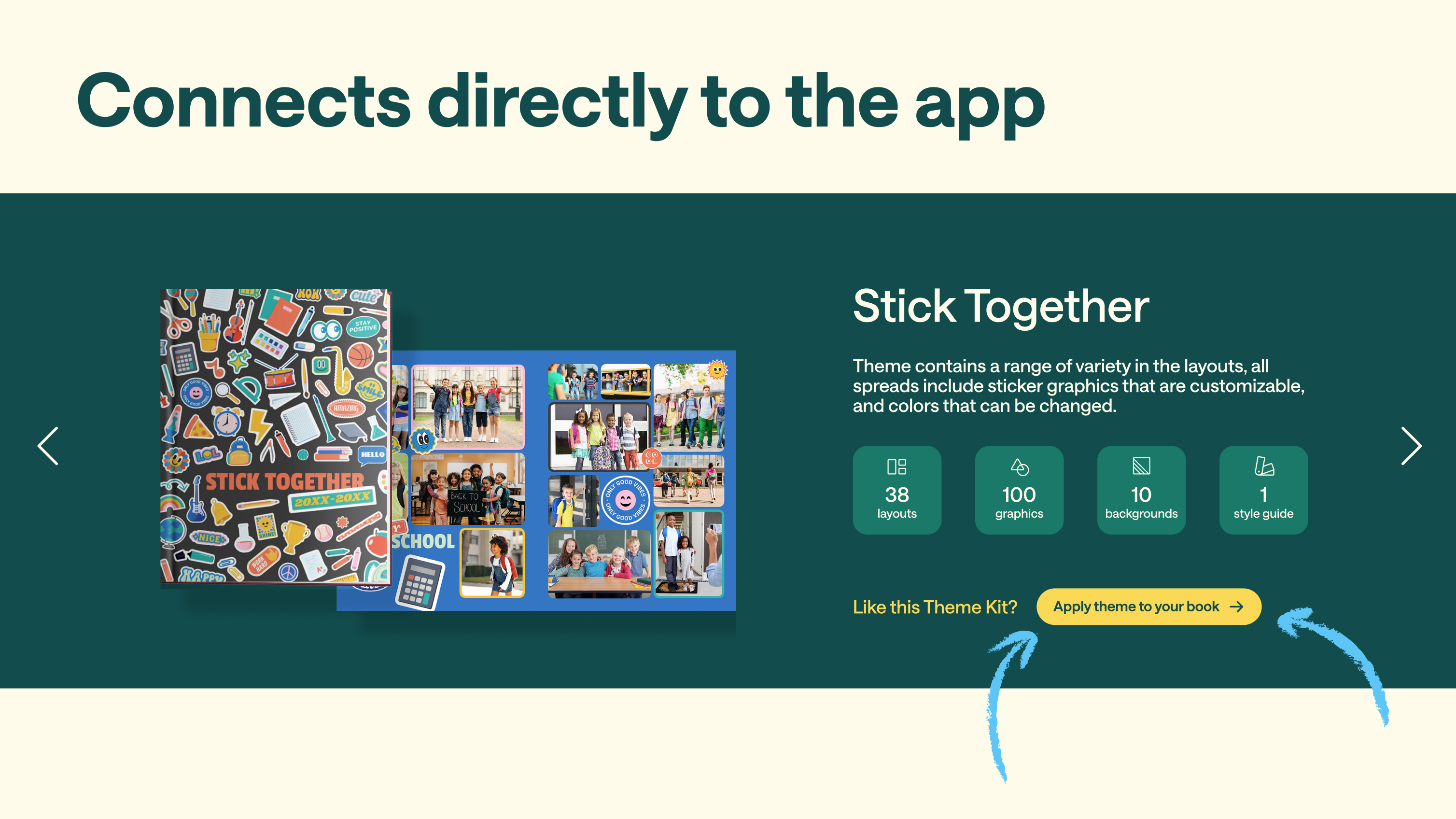
The Theme Kit Finder is launching August 15th on the website.